Decided to get back to trying to get the most hardware running, managed to get Ethernet running on my StarFive VisionFive 2 (a RISC-V SBC), though only one of the two at a time, which I presume is because I lack a proper clock/reset framework to handle the huge clocktree of the board.
Still, here's a screenshot of an encrypted remote shell from my PC running a ping to google from the board.
What does your OS look like? (Screen Shots..)
-
alnyannn
- Posts: 20
- Joined: Fri Dec 13, 2024 7:08 pm
- Location: Kyiv, Ukraine
- GitHub: https://git.alnyan.me/alnyan
- Contact:
Re: What does your OS look like? (Screen Shots..)
- Attachments
-
https://git.alnyan.me/alnyan/yggdrasil — yet another UNIX-like OS for aarch64/i686/x86_64/riscv64, this time in Rust
-
LeavesDevelopment
- Posts: 1
- Joined: Sat Aug 02, 2025 4:15 am
- Libera.chat IRC: LeavesDev
Re: What does your OS look like? (Screen Shots..)
 the bootloader main menu looks like that, it is a bootloader compiled by clang and lld-link and open source coded x86_64 operating system bootloader which load .exe kernels ,but there is a trouble, it throws an exception like 'Not found image information' what shouid i do
 it is the look of the error screen
Last edited by LeavesDevelopment on Sun Aug 03, 2025 9:36 am, edited 1 time in total.
-
techdude17
- Member

- Posts: 38
- Joined: Fri Dec 23, 2022 1:06 pm


Re: What does your OS look like? (Screen Shots..)
image is 404

Kaph — a modular OS intended to be easy and fun to administer and code for.
"May wisdom, fun, and the greater good shine forth in all your work." — Leo Brodie
"May wisdom, fun, and the greater good shine forth in all your work." — Leo Brodie
-
techdude17
- Member
- Posts: 38
- Joined: Fri Dec 23, 2022 1:06 pm
Re: What does your OS look like? (Screen Shots..)
Take 2 for Ethereal 

-
InvalidOpcode

- Posts: 5
- Joined: Tue Aug 12, 2025 3:34 pm
- Location: UK
Re: What does your OS look like? (Screen Shots..)
It's not much, but it's a start! First context-switch on real hardware between two user-mode processes 
0x0F0B
-
joexbayer
- Posts: 8
- Joined: Sat Feb 25, 2023 2:02 pm
- GitHub: https://github.com/joexbayer
Re: What does your OS look like? (Screen Shots..)
Older image of my operating system in textmode (when it was still called NETOS), sometimes wish I explored this style more...

Got more images on my project page: https://oshub.org/projects/retros-32
Got more images on my project page: https://oshub.org/projects/retros-32
-
brain

- Member

- Posts: 247
- Joined: Thu Nov 05, 2009 5:04 pm
- Location: UK
- Discord: https://discord.gg/brainbox
- GitHub: https://github.com/braindigitalis
- Contact:
Re: What does your OS look like? (Screen Shots..)
Been working on optimising my graphics systems so that i can make a wolfenstein or doom clone in it... Got perspective correct software rendered textures working.

-
EmanueleDavalli
- Posts: 7
- Joined: Fri Sep 20, 2024 10:36 am
Re: What does your OS look like? (Screen Shots..)
I finally have a network stack solid enough to download a big web page

Re: What does your OS look like? (Screen Shots..)
As I was working on my project--a complete rewrite where before I allowed a Legacy BIOS boot, to now requiring UEFI--I had the thought, "what happens if I boot via Legacy BIOS?"
Well, of course I could write a little bit of code to place in the (P)MBR of the GPT formatted media that would simply state "This requires UEFI, please adjust your settings and try again."
But that really isn't any fun, so I thought, what else can I put in those first 446 bytes?
A while back, 25 years now, I was a part of the Hugi Size Coding competition, and compo #13 was a Sokoban competition. Create the smallest executable that allows an arbitrary amount of levels as input and allow the user to attempt to solve each puzzle, one after another. (On a side note, Sokoban was created in the early 1980s (I was just a kid then) by Hiroyuki Imabayashi, the president of Thinking Rabbit, a company in Japan. It was submitted to a coding contest and won first place. Here is some more information.)
Anyway, I thought if someone booted my disk image via Legacy boot, whether is was on purpose or not, display the usual text string *and* why not let the user attempt to solve one of the original puzzles submitted by the creator back in 1980?
So, here is a screen shot of my image being booted via a Legacy boot:

The user can use the arrow keys to push the boxes around, placing them on to the dock (cyan color).
But that isn't all:
- it turns off the blinking cursor.
- it has an (almost) unlimited undo, using the backspace key, where you can undo all the way back to the beginning if needed. It uses a 64k minus 512 byte stack for this undo feature, not allowing you to over do it, displaying a string stating "too many moves" if needed.
- You can press the Escape key to start over.
- It also has error checking, ignoring any unused key strokes
- It also checks for and indicates with a text string that you have completed the puzzle, if and when you do.
- It does not rely on the puzzle's layout, only that a puzzle will not be any larger than 14x12 in size.
- It places the "FYSOSv3" signature under the puzzle.
The challenge here was to do all of that and store the 14x12 puzzle (currently 84 bytes in itself) in the 446 bytes available in the (P)MBR, preserving the four partition entries and the 0xAA55 signature. I still have a whopping 14 bytes at the end of the code to do something else if desired. :-)
I do not have a bootable image uploaded anywhere yet to show it in action, but if someone absolutely has to try it out, I could easily do so. (I currently have a bug somewhere in the kernel or one of the apps that freezes the system an average of 1 out of every 25 startups. Luckily it is almost exactly in the same place each time, which helps narrow it down.)
Just thinking outside of the box, keeping it fun and interesting.
- Ben
https://www.fysnet.net/fysos.htm
Well, of course I could write a little bit of code to place in the (P)MBR of the GPT formatted media that would simply state "This requires UEFI, please adjust your settings and try again."
But that really isn't any fun, so I thought, what else can I put in those first 446 bytes?
A while back, 25 years now, I was a part of the Hugi Size Coding competition, and compo #13 was a Sokoban competition. Create the smallest executable that allows an arbitrary amount of levels as input and allow the user to attempt to solve each puzzle, one after another. (On a side note, Sokoban was created in the early 1980s (I was just a kid then) by Hiroyuki Imabayashi, the president of Thinking Rabbit, a company in Japan. It was submitted to a coding contest and won first place. Here is some more information.)
Anyway, I thought if someone booted my disk image via Legacy boot, whether is was on purpose or not, display the usual text string *and* why not let the user attempt to solve one of the original puzzles submitted by the creator back in 1980?
So, here is a screen shot of my image being booted via a Legacy boot:
The user can use the arrow keys to push the boxes around, placing them on to the dock (cyan color).
But that isn't all:
- it turns off the blinking cursor.
- it has an (almost) unlimited undo, using the backspace key, where you can undo all the way back to the beginning if needed. It uses a 64k minus 512 byte stack for this undo feature, not allowing you to over do it, displaying a string stating "too many moves" if needed.
- You can press the Escape key to start over.
- It also has error checking, ignoring any unused key strokes
- It also checks for and indicates with a text string that you have completed the puzzle, if and when you do.
- It does not rely on the puzzle's layout, only that a puzzle will not be any larger than 14x12 in size.
- It places the "FYSOSv3" signature under the puzzle.
The challenge here was to do all of that and store the 14x12 puzzle (currently 84 bytes in itself) in the 446 bytes available in the (P)MBR, preserving the four partition entries and the 0xAA55 signature. I still have a whopping 14 bytes at the end of the code to do something else if desired. :-)
I do not have a bootable image uploaded anywhere yet to show it in action, but if someone absolutely has to try it out, I could easily do so. (I currently have a bug somewhere in the kernel or one of the apps that freezes the system an average of 1 out of every 25 startups. Luckily it is almost exactly in the same place each time, which helps narrow it down.)
Just thinking outside of the box, keeping it fun and interesting.
- Ben
https://www.fysnet.net/fysos.htm
-
JackScott

- Member

- Posts: 1054
- Joined: Thu Dec 21, 2006 3:03 am
- Location: Hobart, Australia
- Mastodon: https://aus.social/@jackscottau
- Matrix: @JackScottAU:matrix.org
- GitHub: https://github.com/JackScottAU
- Contact:
Re: What does your OS look like? (Screen Shots..)
Just finished adding the world's worst performing mouse pointer. The video also shows off the hardware probing.
-
max

- Member

- Posts: 637
- Joined: Mon Mar 05, 2012 11:23 am
- Libera.chat IRC: maxdev
- Location: Germany
- Contact:
Re: What does your OS look like? (Screen Shots..)
This might not look like much, but what you see here is not only the UI of my OS (right side), but also that same windowserver running on Windows - within a small wrapper application (left side, windowserver.exe lol):
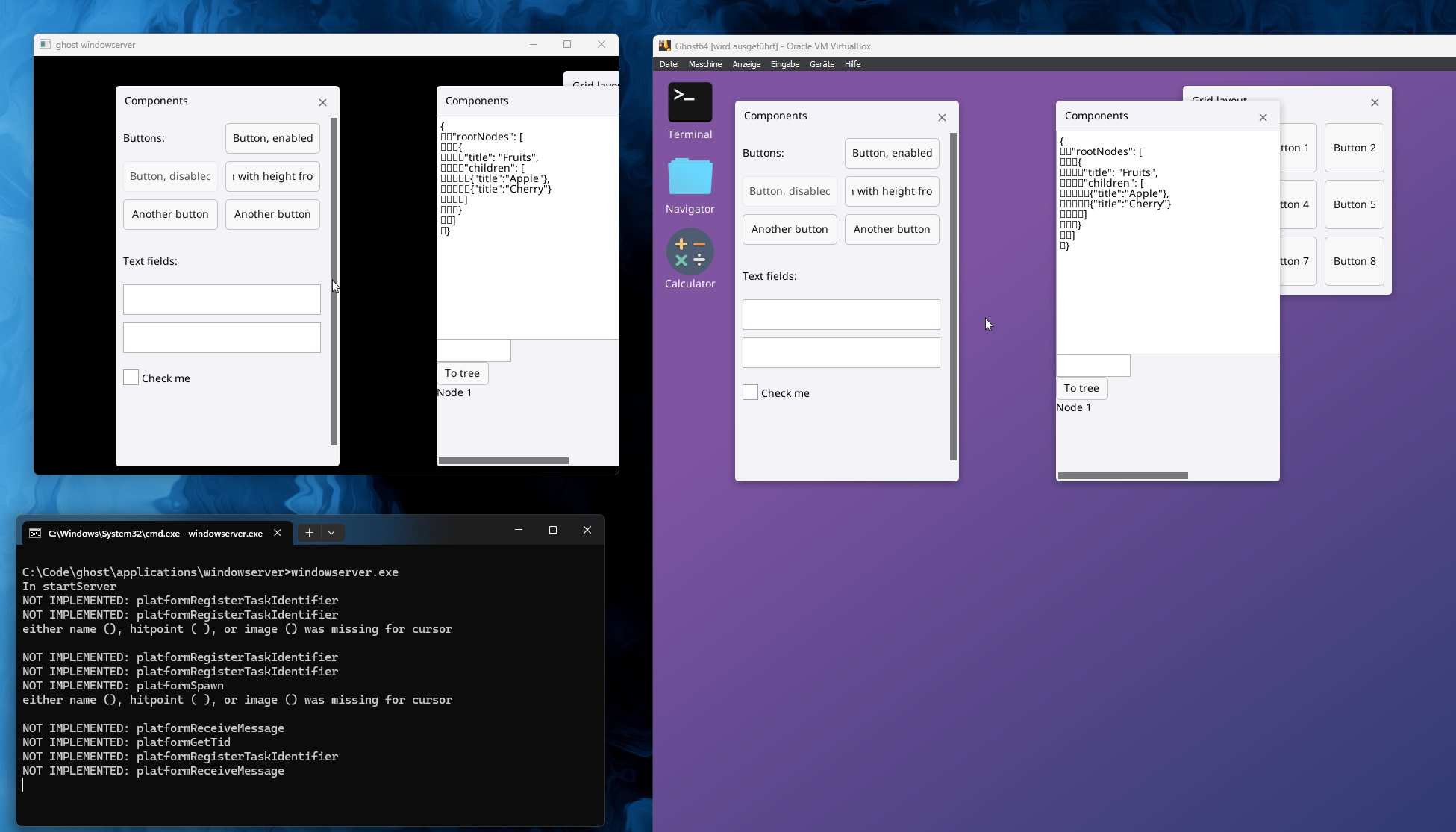
I spent some time to abstract everything platform-related in my windowserver and therefore attempting to make it portable.
There are two goals for this:
I spent some time to abstract everything platform-related in my windowserver and therefore attempting to make it portable.
There are two goals for this:
- I want to offer the windowserver as a standalone application that anyone could embed in their OS (or embedded system) with few dependencies
- Simplify development of the windowserver, since I don't have to boot up the OS every time to work on it
-
OSdeving123
- Posts: 2
- Joined: Fri Jan 16, 2026 12:13 am
Re: What does your OS look like? (Screen Shots..)
here is a prototype running desktop
running 3 calculators:
-
brain
- Member
- Posts: 247
- Joined: Thu Nov 05, 2009 5:04 pm
- Location: UK
- Discord: https://discord.gg/brainbox
- GitHub: https://github.com/braindigitalis
- Contact:
Re: What does your OS look like? (Screen Shots..)
My OS rendering an animated gif on the sides of a software rendered cube while playing an mp3 through HD audio.
Re: What does your OS look like? (Screen Shots..)
Good moorning, I've come to post a screenshot of my operating system called CEOS. If I posted this message in a topic that's not related to what I'm saying, please let me know. 
(Optional): I published the source code so you can see how my OS works (Only the Kernel)
Kernel:
screenshot:
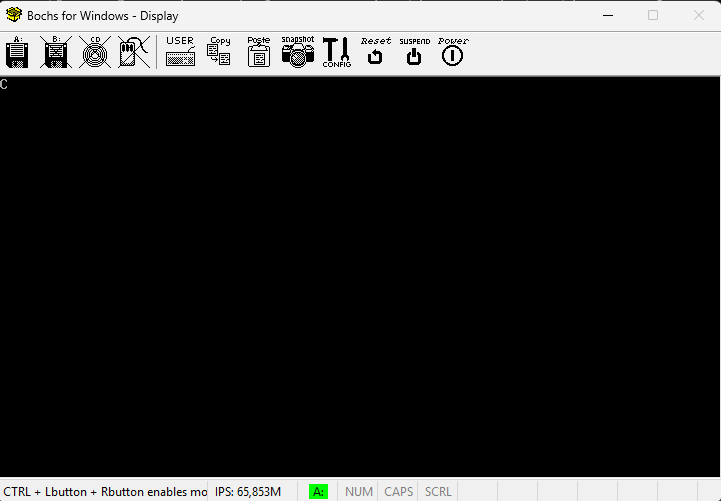
thanks for reading
(Optional): I published the source code so you can see how my OS works (Only the Kernel)
Kernel:
Code: Select all
org 0x9000
base:
xor ax, ax
mov ds, ax
mov es, ax
mov ss, ax
mov sp, 0x9500
mov ax, 0xB800
mov es, ax
mov ax, 0x0003
Int 0x10
mov al, 'C'
mov ah, 0x0E
mov bh,0
int 0x10
jmp $

times 512*5-($-$$) db 0thanks for reading